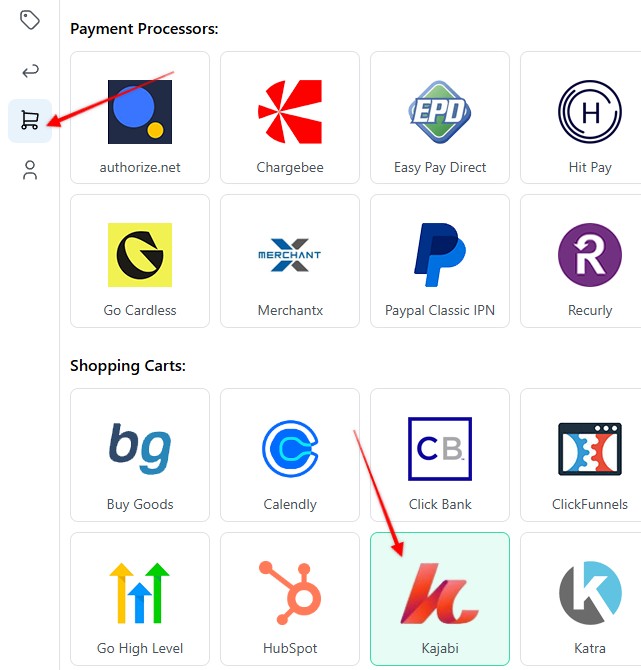
1. Set up your Vwebhook on the Settings page > Payment Processing and Carts > Kajabi
2. Enter a name for your Webhook > Select funnel to apply the webhook to > Hit Save & generate Webhook URL
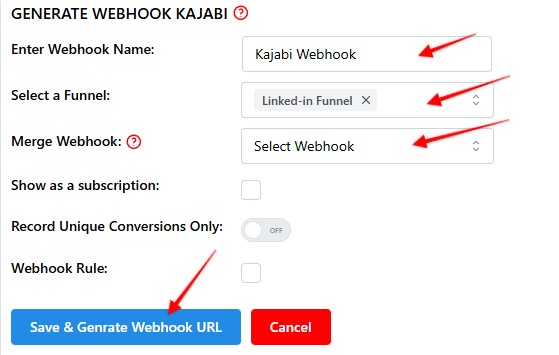
4. Copy the webhook URL, and hit Save
5. Log in to your Kajabi dashboard, Settings > Site Settings > Integrations & Webhooks
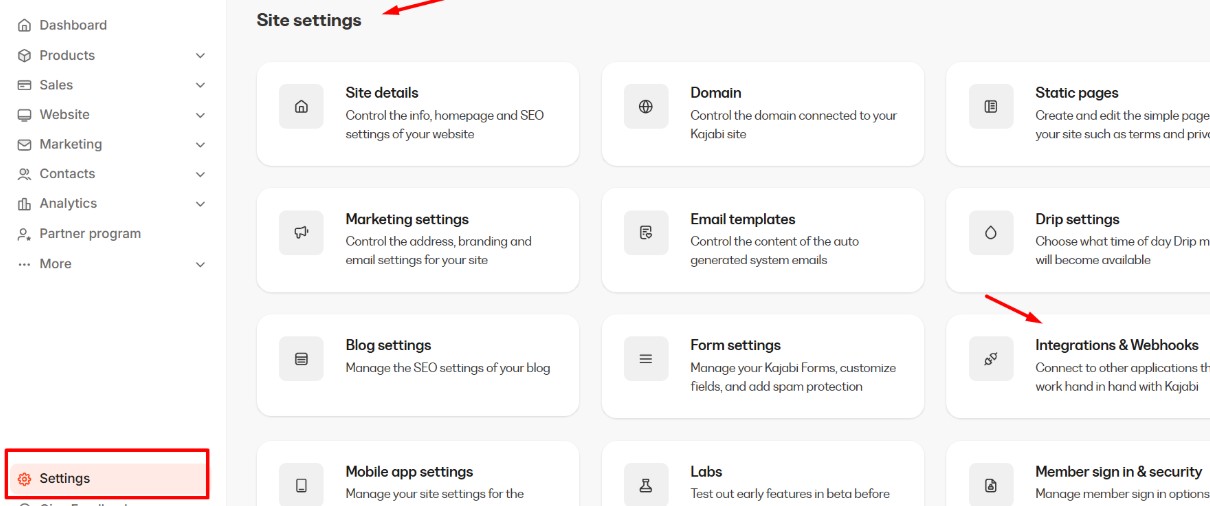
6. Open teh "webhook" tab, and click "+ Create webhook":

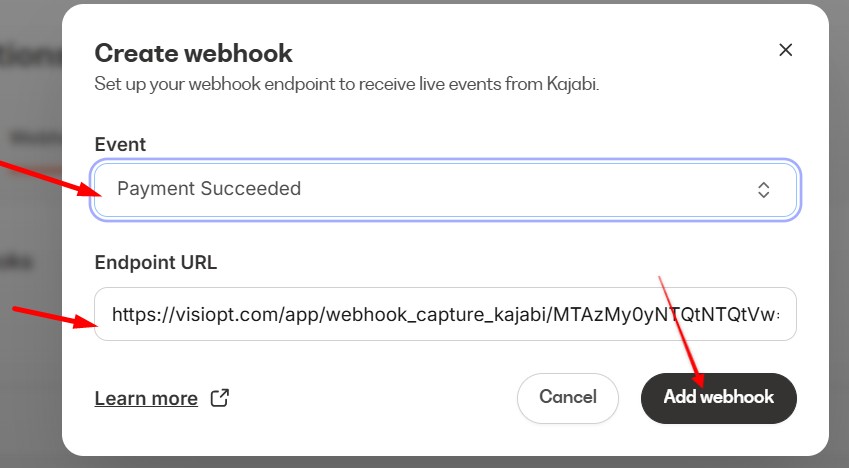
7. In the webhook form, select "Payment Succeeded" as the event type. Paste the webhook URL copied from VisiOpt into the Endpoint URL field. And click Add Webhook.
Comments
0 comments
Article is closed for comments.