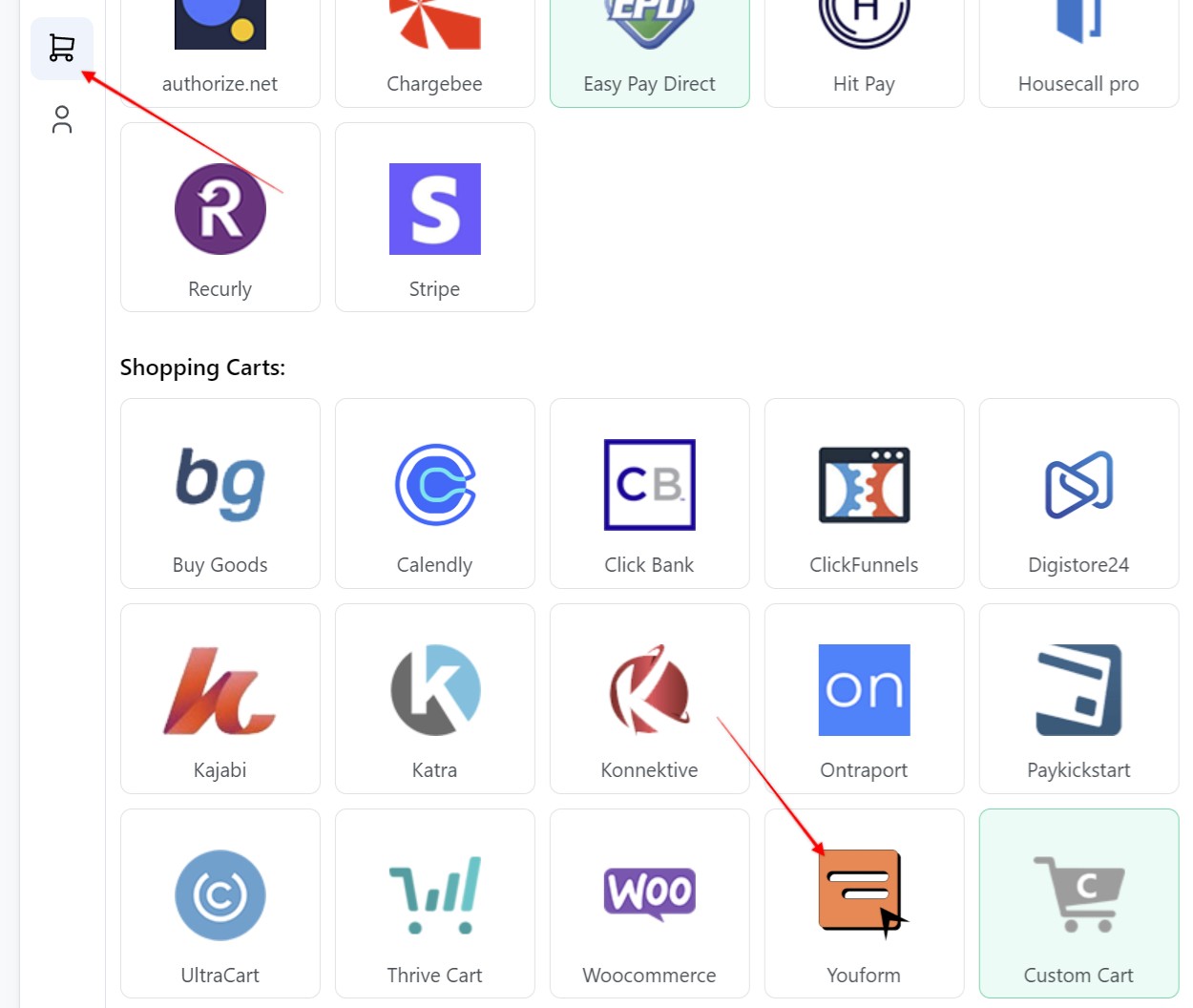
1. Create a new webhook for `ouform in Visiopt. Go to the Settings page > Payment processing and carts > youform.
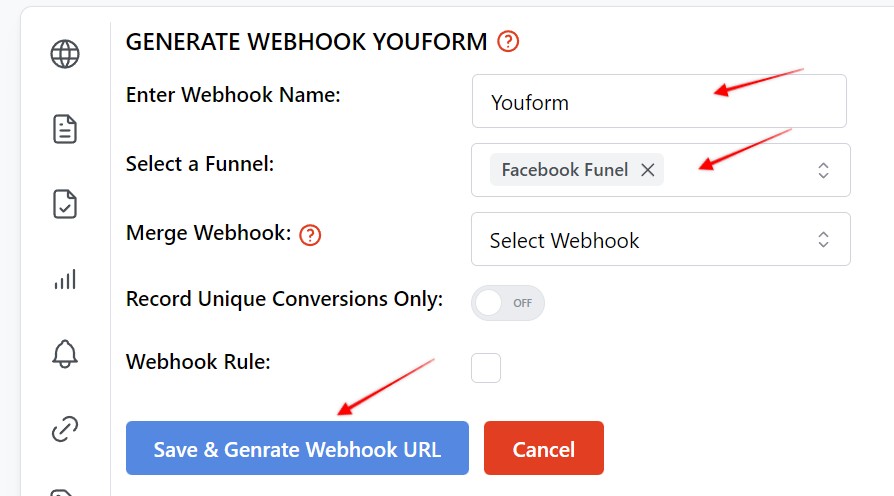
2. Enter a name for your webhook, select the funnel and click "Save & generate webhook URL". When done, copy the generated URL.
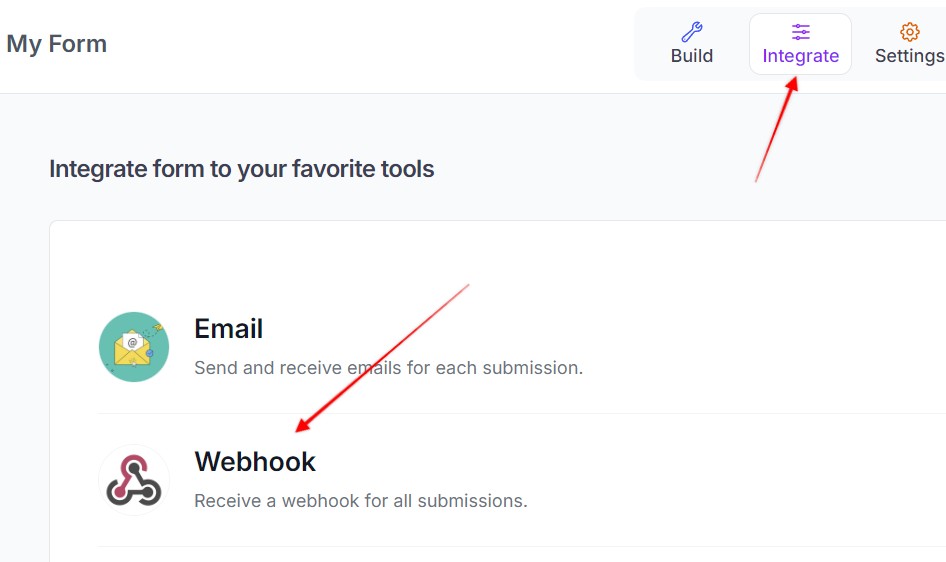
3. Log in to your youform account, select the desired form. Click on Integrate, then Webhooks.
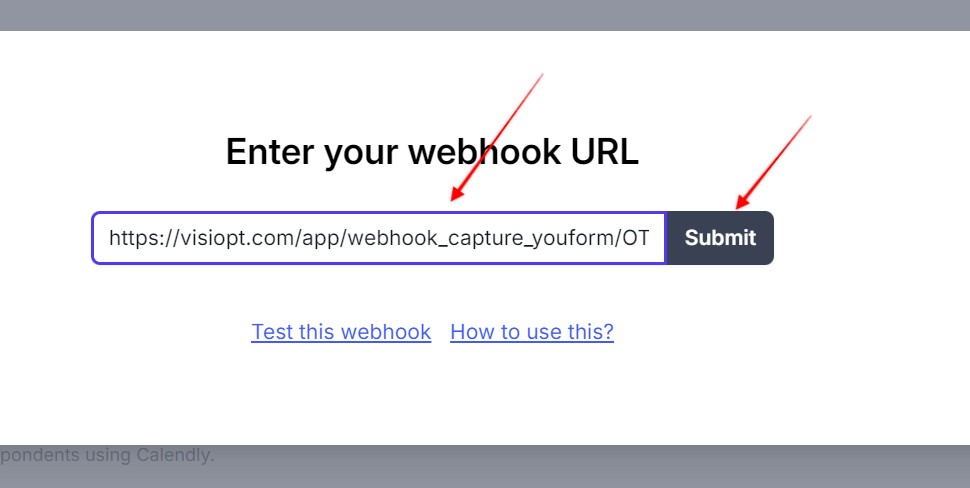
4. Paste in the webhook URL created in step 2, and hit Submit.
Comments
0 comments
Please sign in to leave a comment.