WooCommerce allows setting up global webhooks, but it doesn’t support product-specific webhooks by default. To track products individually, you need to use a plugin called FunnelKit. Here’s how you can set it up.
STEP 1 - 1. Install the FunnelKit Plugin:
After installing the plugin, navigate to the "Automation" tab:
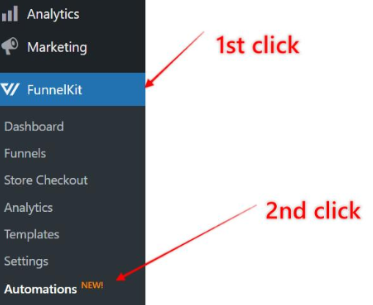
STEP 2 - Create a New Automation:
Click on the "Create Automation" button:

Click here to proceed with the setup:
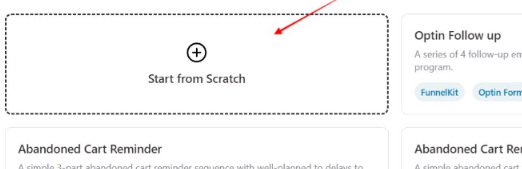
STEP 3 - Name Your Automation:
Enter a name for your automation and click the "Create" button:
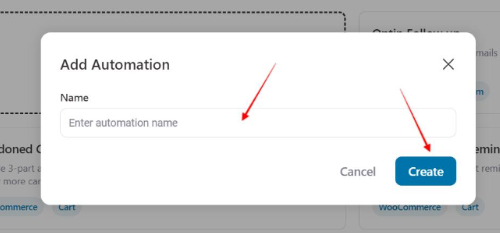
STEP 4 - Configure WooCommerce Trigger:
Click here to continue:
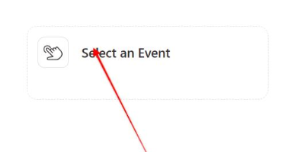
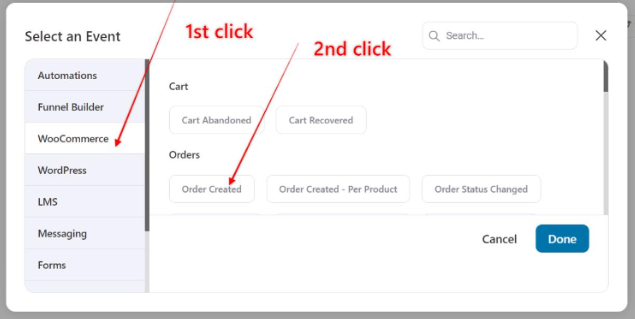
In the "WooCommerce" tab, select "Order Created" and then click "Done":
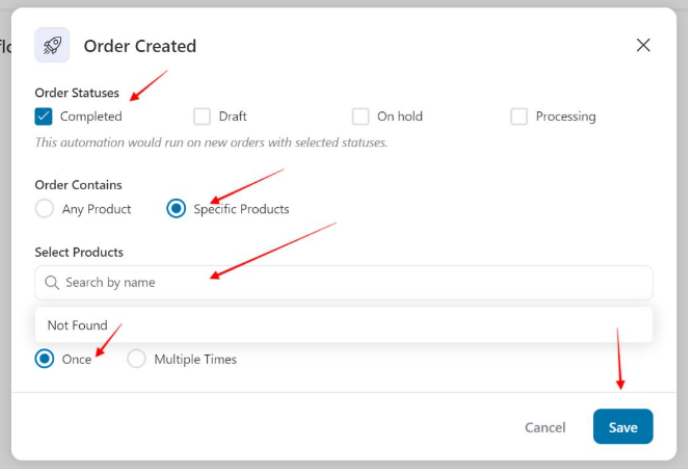
STEP 5 - Fill in the Details:
Fill out the form as shown in the screenshot, select the product you want to track, and click "Save":
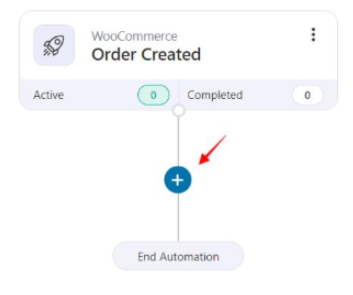
STEP 6 - Add an Action:
Click the "+" button:
 Then, choose the "Action" option:
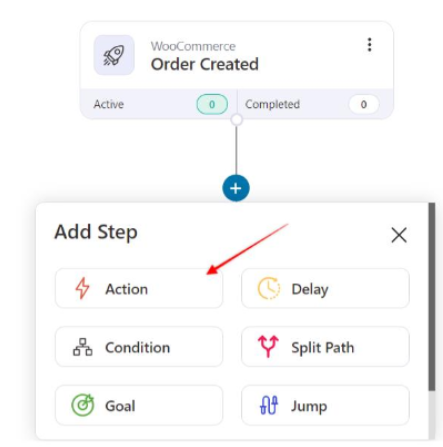
Proceed by clicking here as shown in the screenshot:
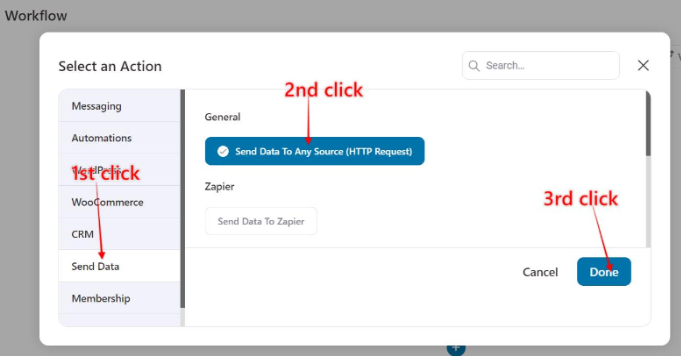
STEP 7 - Generate Custom Webhook URL:
To enable Custom cart first click on the Settings tab and select the "Payment processing and carts" section.
The click on the "Custom cart" thumbnail to make the Custom cart available in your tests and campaigns:
Enter a neme for the webhook. Select a funnel to associate the webhook with. Hit Save & generate webhook:
Then copy the generated URL:
STEP 8 - Add Custom Webhook URL:
When we use this plugin we have to use a custom shopping cart.
Add the custom webhook URL and select POST method and map the data as shown, and include any necessary headers. Finally, click "Save."
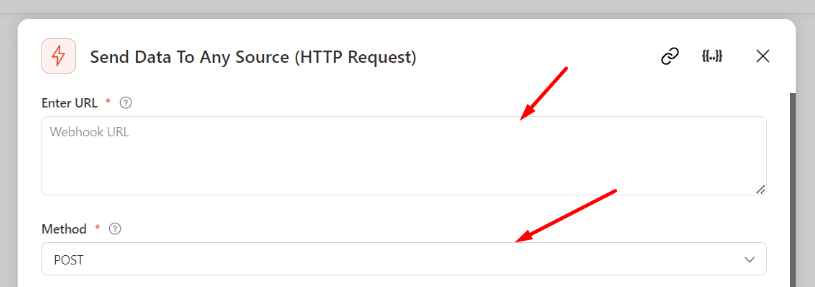
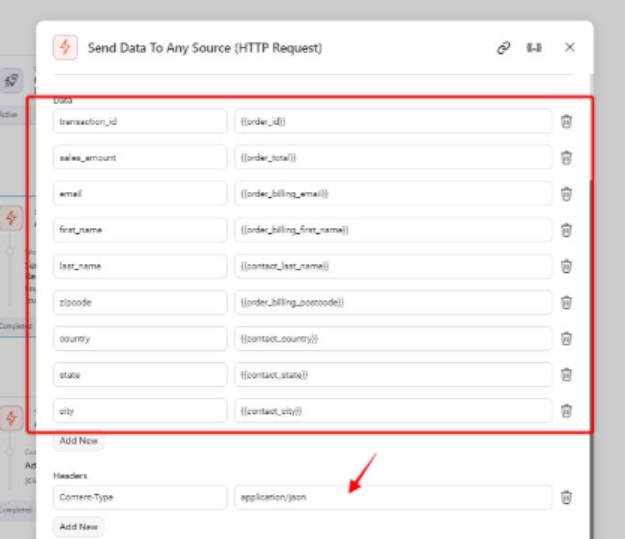
You can copy the data from here:
| Field Name | Value Name |
| Data | |
| transaction_id | {{order_id}} |
| {{order_billing_email}} | |
| sales_amount | {{order_total}} |
| first_name | {{order_billing_first_name}} |
| last_name | {{order_billing_last_name}} |
| zipcode | {{order_billing_postcode}} |
| country | {{order_billing_country}} |
| state | {{order_billing_state}} |
| city | {{order_billing_city}} |
| Headers | |
| Content-Type | application/json |
Comments
0 comments
Article is closed for comments.