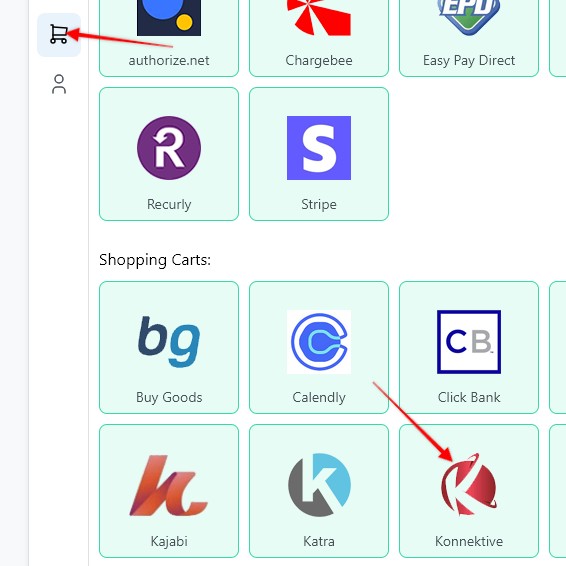
1. To create a webhook, go to the Settings page > Payment Processing and Carts > Easy Pay Direct
2. Enter a Webhook name, select the Funnel to associate the webhook with, hit Save and Generate Webhook URL
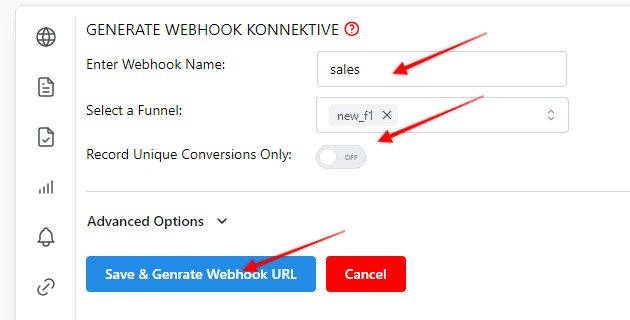
3. Copy the webhook URL

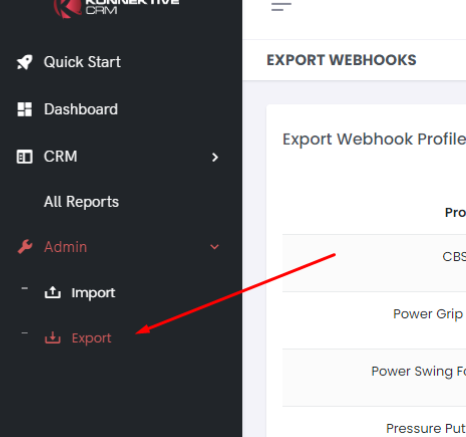
4. Log in to Konnektive and in Sidebar under the "Admin" section click on the Export link
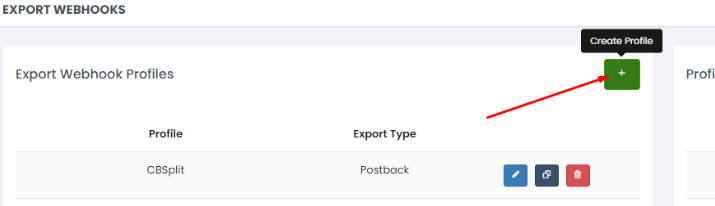
5. Click on The + button (Create Profile):
6.
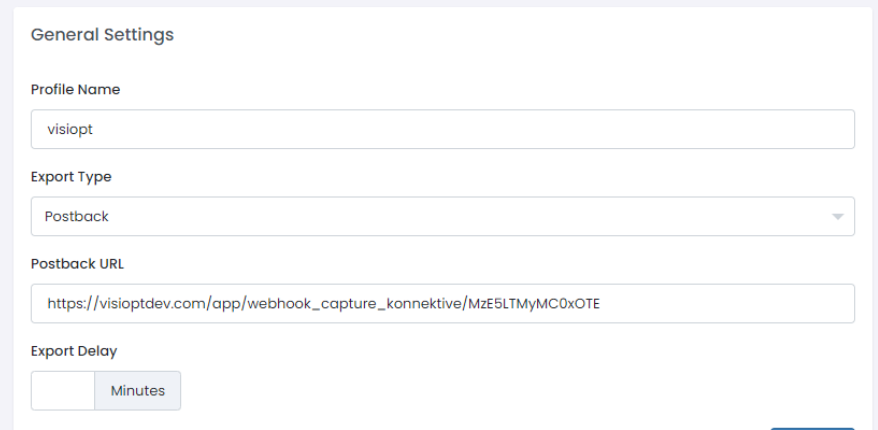
- After the 'create profile' button is clicked, a new screen will open.
- There enter the name of the first profile
- Then select the option in export type, then Postback
- After that paste the URL which you copied in Step 3 into the Postback URL
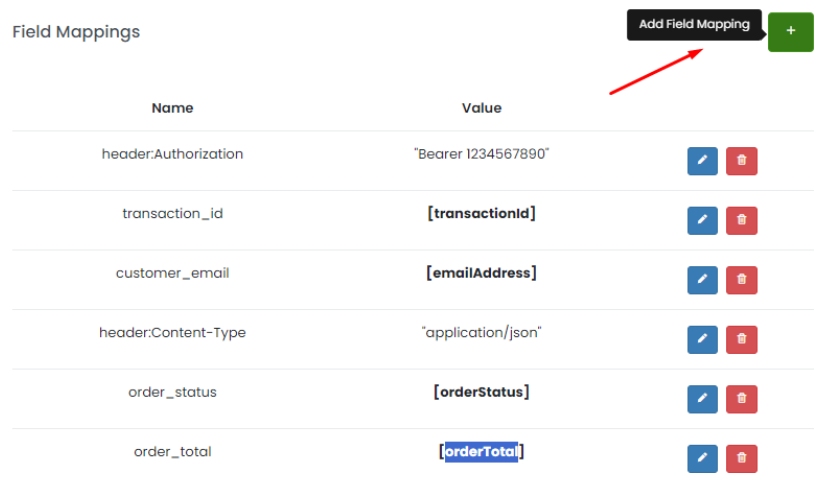
7. Click on The + Add Field Mapping button:
8. A popup will open as shown below
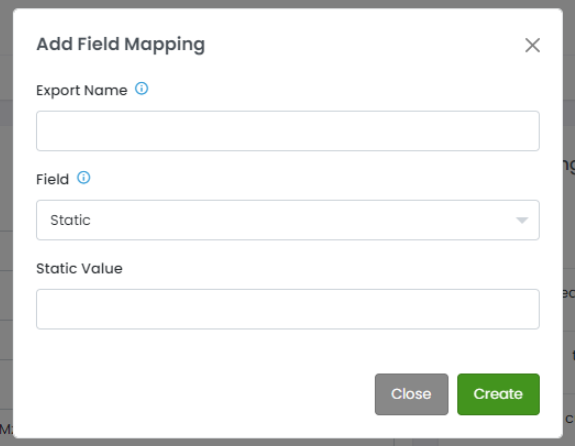
9. In the pop up shown above, please add values as shwon in the table below
| Export Name | Field | Field |
|---|---|---|
| header:Authorization | Static | Bearer 1234567890 |
| header:Content-Type | Static | application/json |
| transaction_id | transactionId | - |
| customer_email | emailAddress | - |
| order_status | orderStatus | - |
| order_total | TotalPrice | - |
| customer_first_name | firstName | - |
| customer_last_name | lastName | - |
| customer_postalcod | postalCode | - |
| customer_country | country | - |
| customer_state | state | - |
| customer_city | city | - |
10. Fill Up the data fields as below and add mappings as follows
11. Click in + (Create Route):
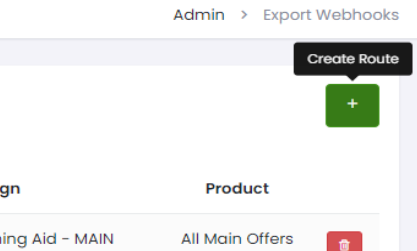
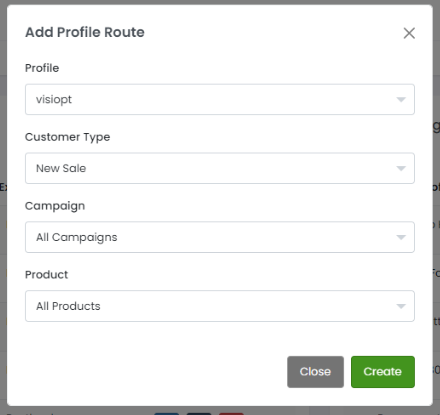
Create Profile Routing
- Here you can set the multiple routes.
- First, select the profile you have created.
- Here is the option to select which type of customers are in your funnel.
- Select New Sales if your funnel only contains new sales.
- If you have upsell and new sales in your funnel then you need to add 1 more route for upsell and a different one for main sales, same applies to recurring billing as well.
- If your funnel is for a specific campaign, select that option otherwise keep All.
- If your funnel is for a specific product, select that option.
- Here I set the route for Only New Sales and All Campaigns and All Products.
Some carts and processors will send a separate webhook notification for the main sale and each upsell purchased. This will cause multiple conversions to be recorded.
For simple instructions to stop this click HERE.
Comments
0 comments
Article is closed for comments.