1. To create a webhook, go to the Settings page > Payment Processing and Carts > Easy Pay Direct
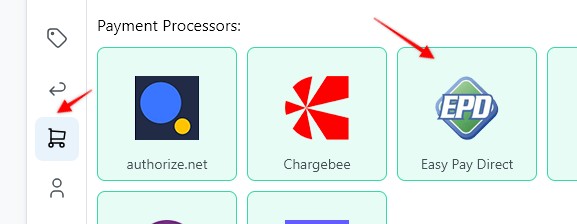
2. Enter a Webhook name, select the Funnel to associate the webhook with, hit Save and Generate Webhook URL
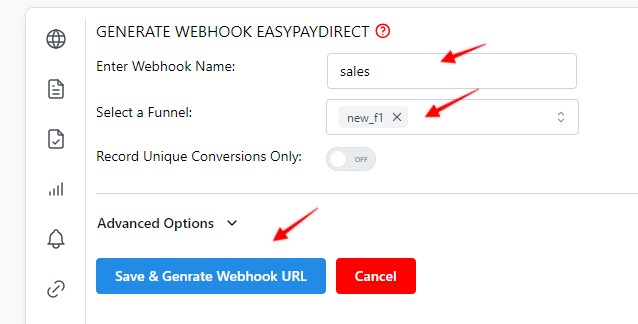
3. Copy the webhook URL

3. Copy the webhook URL, and hit Save
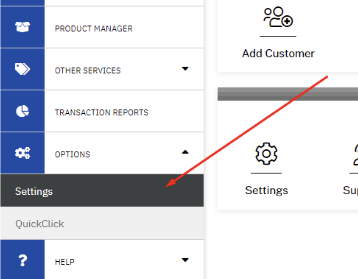
4. Log in to Easy Pay Direct and in the sidebar, Under the Options section click on the Settings
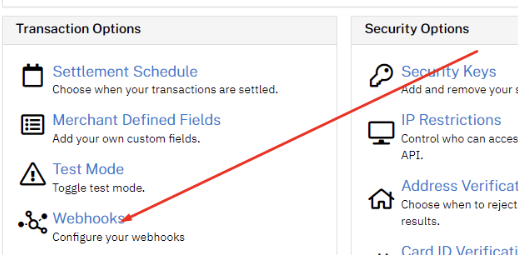
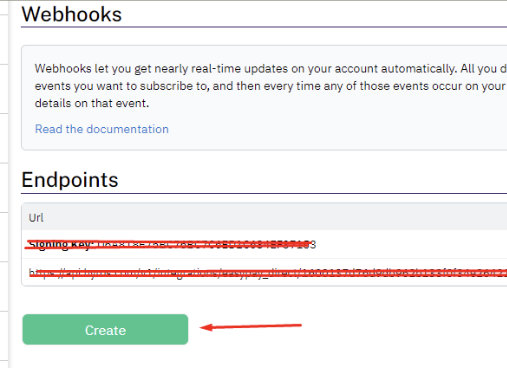
5. In the Transactions Options section click on the "Webhooks" link
6. Click on the 'Create" button
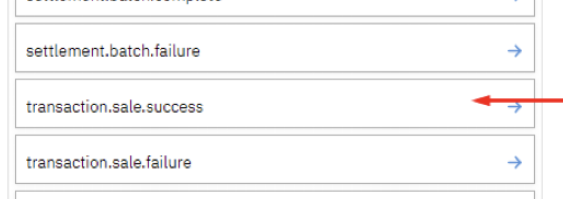
7. Select the "tranaction.sale.success" event and click on the Save changes button
Some carts and processors will send a separate webhook notification for the main sale and each upsell purchased. This will cause multiple conversions to be recorded.
For simple instructions to stop this click HERE.
Comments
0 comments
Article is closed for comments.